


Your regulars already know what they want. They're on the couch, in the car, or leaving work. They don't want to reset a password, fight a slow menu, or install another app just to place a simple order. They want to send a text, get a clear reply, confirm the details, and know the order landed safely.
That's why a text message ordering system works so well for regulated retail when it's built correctly. It meets customers inside the one channel they already use all day, but it also creates a hard operational question that most guides skip: how do you keep the convenience of SMS without creating a compliance mess behind the counter?
In a dispensary setting, that question matters more than clever automation. If your flow doesn't record consent, verify age, push clean data into your POS, and leave an audit trail, the system becomes a liability. If it does those things well, texting becomes one of the simplest ways to reduce friction for the customer and reduce confusion for staff.
Why a Text Message Ordering System Is Non-Negotiable
Customers don't think in channels. They think in effort.
If ordering by text feels faster than tapping through a mobile site, they'll use text. If the process feels confusing, they'll abandon it and buy later, call the store, or go somewhere else. In my experience, that's the key decision point. Not whether SMS is trendy, but whether it removes enough friction to feel obvious.
Customers already prefer the channel
The age group most dispensaries care about is already comfortable with texting as a buying channel. 40% of 18-to-34-year-olds say they're willing to order via text message, and 89% of guests in some sectors have already signed up to receive texts from businesses, according to US Foods' text-to-eat reporting. That matters because willingness comes before conversion. If the customer is open to texting, your operational job gets much easier.
For local operators, SMS also matches the buying moment better than most other channels. Customers often aren't browsing for half an hour. They want a fast reorder, a quick product question answered, or a simple pickup arranged. Texting fits those moments better than an app with a long login flow.
A lot of businesses still overbuild this. They invest in features customers never asked for and ignore the basic convenience of a direct message. That's especially true when the catalog is familiar and repeat ordering matters more than discovery. Even a customer browsing related local options like mushroom suppliers near me is often looking for a low-friction path, not a complicated digital experience.
Visibility beats complexity
SMS gets attention in a way email often doesn't. Text messages achieve an average click-through rate of 19%, maintain an 82% global open rate, and in food and beverage, open rates can exceed 90% to 98%, according to G2's SMS marketing statistics roundup. For ordering, that means the message is likely to be seen quickly and acted on quickly.
Practical rule: If a customer needs to complete one action now, text is usually the cleanest path.
That doesn't mean every order should happen entirely over SMS. It means SMS is often the best front door. The customer texts first, your system guides the next step, and the business keeps control of the workflow instead of depending on scattered calls, missed voicemails, and staff memory.
It also protects the customer experience
A bad app damages trust. So does a mobile site that times out during checkout. Text feels simpler because it is simpler. The customer uses a native app they already trust, and your store controls the pace of the interaction.
For dispensaries, that clarity carries real value. When the process is short, direct, and confirmed in writing, customers feel more confident that the order is accurate. Staff also spend less time untangling vague voicemails and more time fulfilling clean orders.
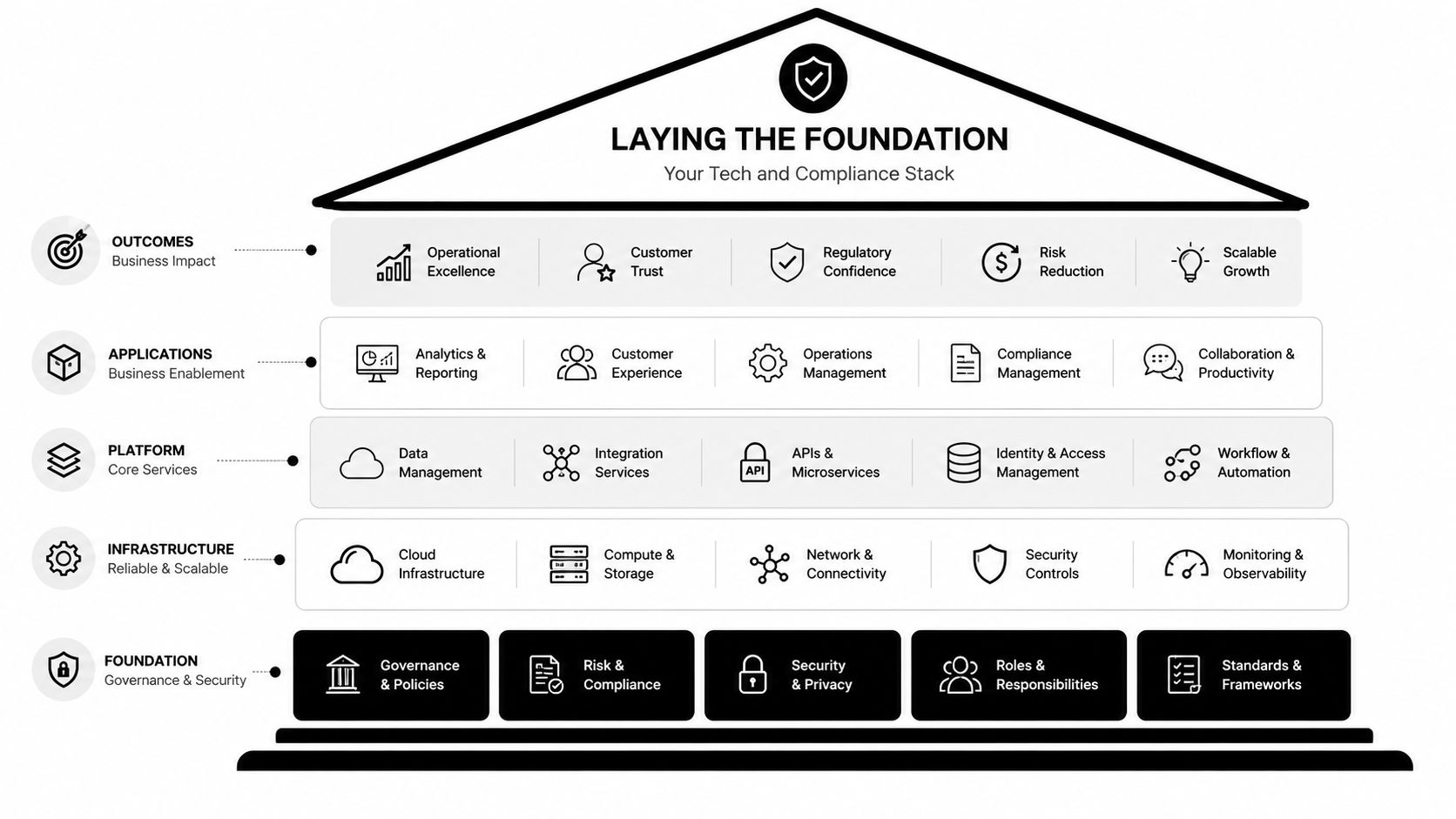
Laying the Foundation Your Tech and Compliance Stack
The first decision isn't which SMS tool has the prettiest dashboard. It's which stack can stand up to scrutiny when someone asks how you captured consent, how you verified eligibility, and how you logged the transaction.
Start with the records you need to keep
Most generic SMS ordering advice stops at “send texts, take orders, connect to POS.” That's not enough in a regulated business. The primary gap is the missing compliance-first workflow. It needs mandatory ID verification, secure encrypted payment links, and automated POS integration for audit trails, and ignoring that creates legal exposure, as noted in Mailchimp's overview of SMS ordering systems.
That's the baseline. Before launch, decide exactly what must be captured and stored for every order:
- Consent records: The system needs a defensible record that the customer explicitly opted in.
- Verification status: Staff should be able to see whether age or ID review is complete before fulfillment starts.
- Order event log: You need a clean history of inbound text, confirmation, payment handoff, and POS entry.
- Exception handling: If the customer fails verification or sends an unclear request, the order can't drift into manual chaos.
If your platform can't show those records cleanly, it's not ready for a dispensary workflow.
Choose tools that can pass data cleanly
A strong setup usually includes an SMS platform, a verification step, a secure payment handoff, and a POS integration layer. The hard part isn't sending messages. It's moving approved data from one step to the next without forcing staff to retype details.
I look for three things first:
Shared visibility for staff
If customer service, fulfillment, and compliance can't see the same thread status, mistakes pile up fast.Rule-based routing
Orders that meet your preset conditions should pass forward automatically. Orders with missing details should pause for review.Reliable POS sync
The order shouldn't live only in an SMS inbox. It has to land in the operational system your team uses.
A text conversation is not an order record until it reaches the system of record.
That's why the tech choice is really an operations choice. Some businesses use a custom flow. Others use a lighter stack with a hosted form for sensitive steps. Some local operators also offer direct text ordering as part of their retail workflow, including options like Metro Mush's subscription-related ordering touchpoints, where the text channel acts as a simple customer entry point rather than a standalone system.
Build around the risky moments
The riskiest parts of the flow are predictable. Consent. Verification. Payment. Final handoff.
A useful stack handles those moments with clear controls, not staff improvisation. That means:
- Consent must be explicit
- Verification must happen before fulfillment
- Payment links must be secure and clearly presented
- POS updates must happen automatically or through a controlled manual review step
If one of those breaks, don't patch it with training alone. Fix the system.
Designing a Seamless Conversational Order Flow
A good text flow feels natural to the customer and rigid to the system. That sounds contradictory, but it isn't. The customer should feel guided, while the business follows a fixed process every time.
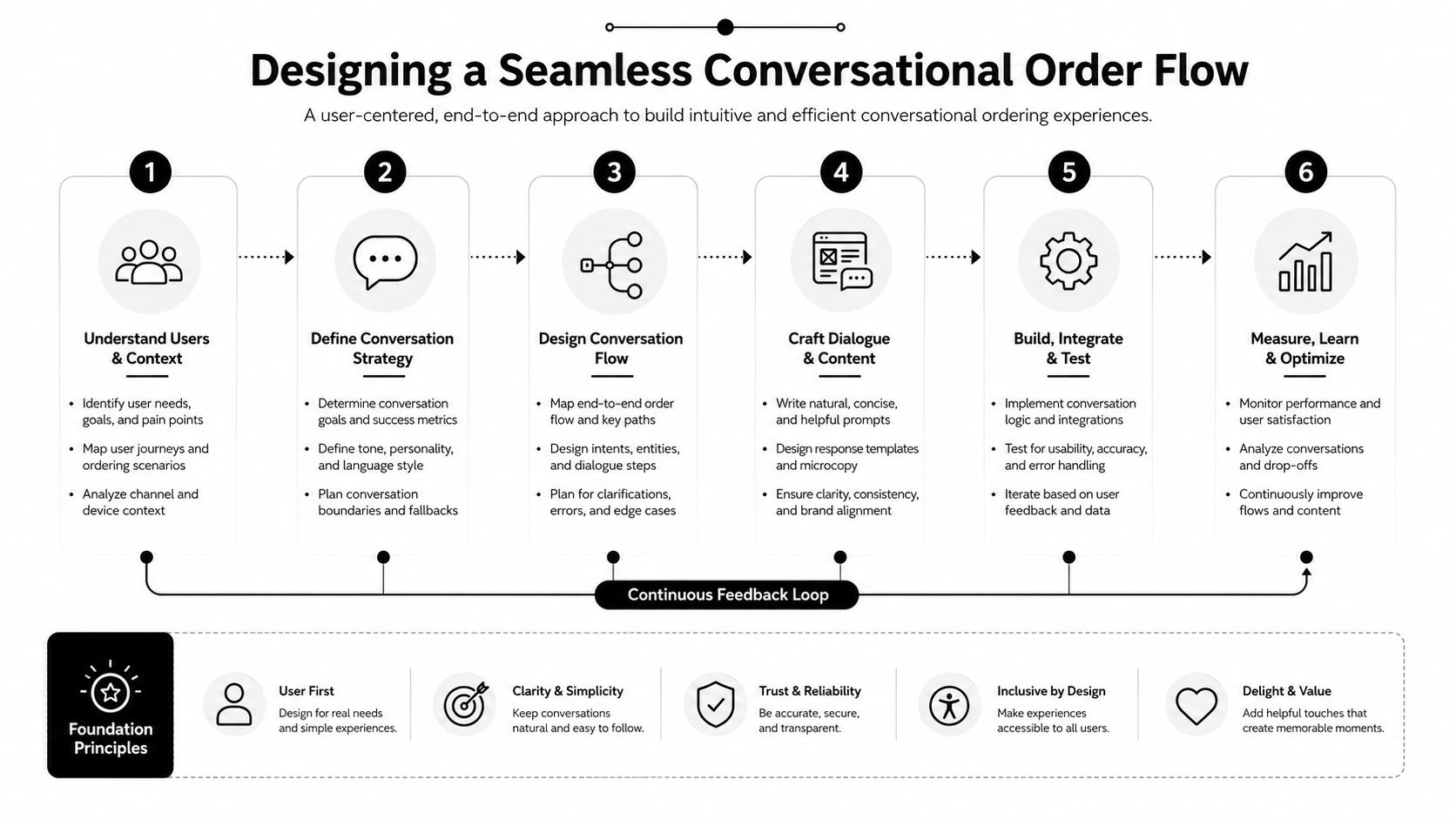
The cleanest structure I've seen uses a four-phase workflow: Initiation, Menu Navigation, Confirmation, and Integration. That architecture can reduce checkout friction by 60–70% compared to traditional mobile ecommerce, according to Ready Set Cloud's build walkthrough on automated SMS ordering. The reason is simple. Customers stay inside the native texting app instead of bouncing between pages and login states.
Phase one: initiation
The first message should do one job. Recognize intent and direct the customer into a controlled path.
Don't start with a giant menu dump. Start with a short response that confirms the channel is active and tells the customer what to do next. In a dispensary workflow, that might mean asking whether they're a new or returning customer, or prompting them to begin verification before seeing product options.
Keyword design matters. If the customer texts “order,” “menu,” or a known product category, your system should understand the request and move them forward without a human having to interpret the message.
Phase two: menu navigation
Once the customer is verified or routed to the right branch, send a menu that can be used over text. That means fewer choices per message, short labels, and clear reply instructions.
A workable SMS menu usually follows these rules:
- Keep choices tight: Group products by category instead of sending the full catalog at once.
- Use obvious reply prompts: Ask for a number, keyword, or short product code.
- Limit ambiguity: If two items have similar names, give them different shorthand.
- Respect mobile reading: Dense text blocks make customers stop replying.
If your catalog is broad, send the category list first, then the sub-menu. Customers who already know what they want can also be allowed to type the product directly, especially repeat buyers looking for familiar items such as products they might normally browse while deciding where to buy shrooms.
Phase three: confirmation
This is the phase most operators under-design. They assume the customer knows what they meant. The system should never assume.
Use confirmation to lock down every variable that affects fulfillment. Product. Quantity. Pickup or delivery details. Contact information. Any compliance checkpoint that still needs attention.
Operational note: Confirmation messages prevent staff from guessing. Guessing is what creates refunds, rework, and compliance risk.
A strong confirmation message is short, structured, and requires an explicit yes or edit response. Don't bury the requested action.
Here's a simple sequence that works well:
- Customer selects item.
- System restates item and quantity.
- Customer confirms or edits.
- System requests final required details.
- Customer confirms final summary.
Later in the flow, a short explainer can help teams visualize how these pieces connect in practice:
Phase four: integration
If the order dies in the inbox, the flow failed.
Integration means the parsed, confirmed order reaches your POS or operational dashboard in a usable format. Staff should see order status, customer details, verification state, and any notes tied to the transaction. This is also where exception routing matters. If the customer replies with something outside the allowed flow, the system should flag it for review instead of forcing a broken automation.
A practical conversational order flow doesn't try to automate every edge case. It automates the repeatable parts and gives staff a clean handoff when the conversation goes off script.
Essential Scripts and Message Templates for Dispensaries
Templates save time, but the main value is consistency. Staff stop freelancing. Customers get the same instructions every time. Compliance steps stop sounding accidental.
Use firm language without sounding cold
The best dispensary scripts sound calm and direct. They don't overexplain. They also don't pretend a regulated step is optional.
Below is a starter set you can adapt.
| Scenario | Message Template |
|---|---|
| New opt-in welcome | Thanks for messaging [Business Name]. Reply YES to confirm you want to receive order-related texts from us. Msg frequency varies. Reply STOP to opt out. |
| New customer verification prompt | Before we process your order, we need to verify age and eligibility. Reply VERIFY to begin secure verification. |
| Returning customer greeting | Welcome back to [Business Name]. Reply MENU for current categories or text your order in plain language and we'll guide you through it. |
| Category menu | Today's categories: 1) Dried products 2) Chocolates 3) Drinks. Reply with 1, 2, or 3. |
| Product clarification | We found more than one match for your request. Reply with the product name exactly as listed or the item number from the menu. |
| Quantity confirmation | You selected [Product] x [Quantity]. Reply YES to confirm or EDIT to change it. |
| Pickup details | Reply with your preferred pickup window, and include the name the order should be held under. |
| Secure payment handoff | Your order is ready for payment. Use this secure payment link: [payment link]. Reply PAID after checkout if you need confirmation. |
| Final order confirmation | Order received: [summary]. We'll send a follow-up text when it's approved and ready for the next step. |
| Failed verification | We can't continue this order until verification is completed. Reply VERIFY to restart the secure verification step. |
| Opt-out acknowledgment | You've been unsubscribed from text messages. Reply START if you'd like to opt back in later. |
Match the script to the moment
A new customer needs more structure. A repeat customer usually needs less. That's why one rigid script for everybody creates unnecessary friction.
For example, a repeat buyer who texts a known product name shouldn't get the same long menu as a first-time customer. They should get a brief confirmation and the next required step. A new customer, by contrast, needs guidance and boundaries from the first message.
Keep the tone steady. Friendly is good. Casual is fine. Vague is expensive.
Treat age verification as a normal part of the flow
The wording around age verification matters. If the prompt sounds apologetic, customers start treating it like an inconvenience you invented. If it sounds routine and clear, customers comply without friction.
Good verification copy does three things:
- States the requirement plainly
- Explains the next action
- Avoids legal jargon unless needed
The same rule applies to payment and order approval messages. Short beats clever. Customers don't need personality during a verification step. They need certainty.
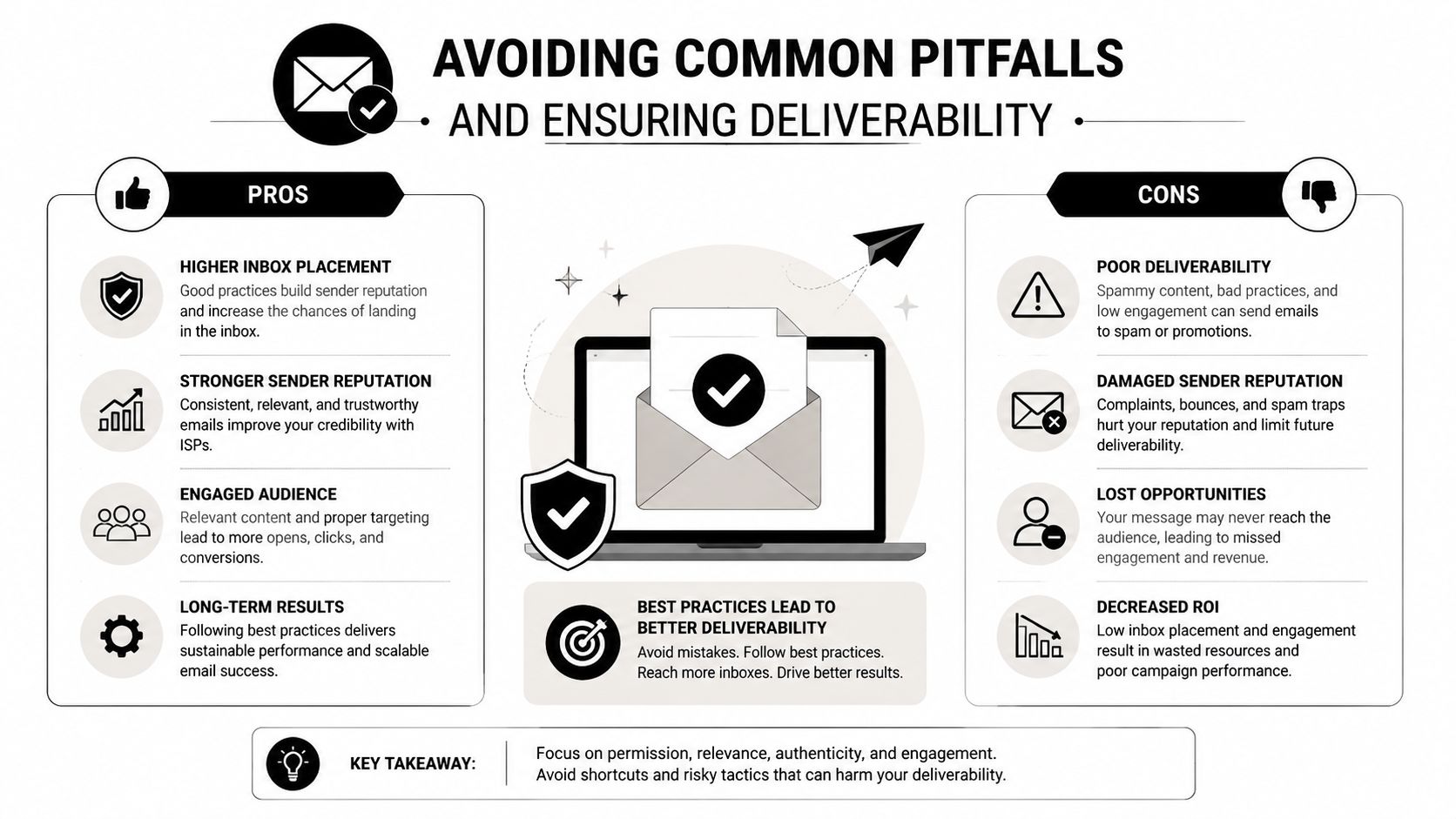
Avoiding Common Pitfalls and Ensuring Deliverability
Most operators think the hard part is launch. It isn't. The hard part is preventing small failures from becoming daily workflow problems.
Ambiguity breaks automation fast
Customers won't always text the exact product label you trained your system on. They'll shorten names, misspell strains, use nicknames, or send partial requests. That's where many SMS flows crack.
According to SimpleTexting's SMS ordering system guidance, ambiguous keyword parsing has about a 12% failure rate when synonyms aren't mapped, and systems using two-way messaging for clarification achieve 92% order accuracy versus 78% for one-way flows. That gap is operational, not theoretical. It's the difference between a clean queue and staff chasing corrections.
Build your parser around how customers type, not how your inventory file is named.
Security signals affect completion
Payment failure often isn't about price. It's about trust.
The same SimpleTexting guidance notes that payment link security failures can lead to 30% abandonment. If the link looks unfamiliar, the destination is unclear, or the handoff feels abrupt, customers stop. In regulated sales, they should stop. Caution is rational.
Use payment messages that clearly identify your business, explain what happens next, and fit the rest of the conversation. Don't drop a naked link into the thread and hope for the best.
Compliance can't be retrofitted
Incomplete opt-in handling is one of the most common mistakes because it feels administrative until it becomes a problem. In practice, it's foundational. If you can't prove the customer consented, the rest of the workflow doesn't matter much.
A resilient system uses a few simple guardrails:
- Map common synonyms: Build alternate keywords and product aliases before launch.
- Use two-way clarification: Let the customer correct unclear requests inside the conversation.
- Keep messages concise: Shorter messages are easier to read and easier to answer correctly.
- Record consent explicitly: Don't rely on implied intent from a casual inbound message.
- Review edge cases weekly: Failed conversations teach you what the automation missed.
Don't treat deliverability as a marketing issue only. In a text message ordering system, deliverability and clarity are part of order accuracy.
A lot of businesses want a “set it and forget it” flow. That usually fails because language changes. Product mix changes. Customer habits change. The systems that keep working are the ones somebody reviews.
Measuring Success and Optimizing Your System
If your only success metric is "customers are texting us," you will miss the exact points where orders break down, compliance checks fail, and staff starts doing manual cleanup.

Watch the points where orders slow down
In a dispensary, a stalled conversation is rarely random. It usually points to one of a few problems. The customer does not understand the next step, the verification request feels unclear, the inventory shown in text does not match the POS, or the payment handoff creates doubt.
Review the handoff points first:
- After the welcome message: Do customers know whether they should type a product, a category, or a menu command?
- After the menu prompt: Are you offering too many choices at once for a phone screen?
- After age or identity verification: Are qualified customers dropping because the instructions feel repetitive or intrusive?
- After order confirmation: Does the order summary match what staff sees in the POS?
- At payment or pickup confirmation: Are customers unsure whether the order is reserved?
Those pauses matter because they show where compliance and customer experience collide. If age verification is technically working but causing a sharp drop in completion, the issue is not solved. The flow still needs work.
Keep your dashboard focused on operating metrics
You do not need a huge reporting setup. You need a weekly review that ties customer behavior to fulfillment accuracy and compliance handling.
Track a short list that your team can act on:
| What to monitor | Why it matters |
|---|---|
| Order completion by conversation stage | Shows where customers stop or abandon the thread |
| Manual intervention rate | Shows how often staff has to step in and rescue the order |
| Verification failure patterns | Reveals whether prompts, routing, or document checks are causing avoidable friction |
| POS mismatch rate | Catches issues where texted offers, live inventory, and recorded orders do not line up |
| Payment or pickup confirmation drop-off | Shows whether the final handoff creates uncertainty or trust issues |
| Repeat order rate from verified customers | Measures whether the process is easy enough to use again |
I have found that manual intervention rate is one of the clearest signals. If staff keeps fixing the same problem by hand, the system is not saving labor. It is hiding process debt inside the inbox.
Optimize one constraint at a time
Do not rewrite the whole flow because one metric dipped last week. Pick the narrowest failure point and fix that first.
If customers stall after category selection, reduce the number of options and use product aliases that match how people text. If verification failures rise, review the wording, timing, and system handoff before assuming customers are the problem. If confirmed orders keep needing edits at pickup, check the POS sync and inventory mapping before you touch the message copy.
This work is operational, not theoretical. The best text ordering systems improve through small corrections made every week, especially around verification, inventory accuracy, and staff handoffs.
If you want a local example of text-based ordering in action, Metro Mush offers adult customers in the Detroit and Ann Arbor area a direct SMS ordering option alongside its online menu, which is a practical model for shoppers who prefer to place orders without adding another app to their phone.