
Text or call Detroit at 734-691-6122 or Ann Arbor at 734-280-2868 for the fastest help. Most customers still want real voice support, and 76% of customers expect to speak with a human representative immediately upon contacting a company, so this guide puts the two direct numbers first and gathers the rest of the support options, ordering help, troubleshooting, and discount verification steps in one place.
If you're here because you're trying to place an order, fix a delivery issue, confirm a special offer, or figure out who to message without bouncing between pages, you're in the right spot. Good customer service contact should remove friction, not create it.
Your Direct Line to Metro Mush Support
If you need help now, start with the direct lines:
- Detroit text and phone: 734-691-6122
- Ann Arbor text and phone: 734-280-2868
Those two numbers handle the most common support needs. That includes order questions, menu checks, delivery coordination, basic troubleshooting, and discount verification questions before checkout. If you'd rather confirm the official contact page first, use the Metro Mush contact page.
A lot of customer frustration starts when support details are scattered. One page has a number, another has a menu, a third has promo details, and none of them answer the exact question you have in the moment. A support hub works better because it keeps the path simple. Find the right number, send the right message, get a useful reply.
That matters financially too. Poor customer experience places approximately $3 trillion in global revenue at risk annually, and 81% of customers are more likely to make another purchase after a positive service experience, according to Ever Help's customer service statistics roundup. In practice, that means fast, clear contact isn't an extra. It's part of the product experience.
Practical rule: If your question affects an active order, text first. Text threads are easier to reference for addresses, item names, and delivery updates.
Quick Reference Contact Information
Below is the fastest way to scan the essentials without digging.
| Service Area | Text/Phone Number | Primary Service Type | Support Hours |
|---|---|---|---|
| Detroit Metro | 734-691-6122 | Text-to-order, delivery support, general customer service contact | During active support hours |
| Ann Arbor Metro | 734-280-2868 | Text-to-order, delivery support, general customer service contact | During active support hours |
| Outside current service area | 313-346-9300 | Delivery option questions and service-area discussions | Availability may vary |
What each line is best for
Some customers call first. Others prefer text because they want a written thread they can refer back to. Both are valid, but each works better for certain tasks.
- Use text for order details. Product names like OuterSpore Milk Chocolate Bars, Mush Love Chocolate Bars, Rocket Fuel shroom drinks, and Moon Bars are easier to confirm in writing.
- Use a call for urgent clarification. If you're trying to sort out delivery timing or a last-minute address issue, voice can be faster.
- Use the outside-area number for edge cases. If you're not sure whether your location is covered, start there rather than guessing.
Before you contact support
Having a few details ready cuts down on back-and-forth:
- Your full name
- Your delivery address
- The exact item names or quantities you want
- Any discount you expect to use
- Your preferred contact method for updates
If support has to ask for your name, address, item list, and discount status one message at a time, the conversation slows down. A complete first message gets you to an answer faster.
How to Place and Manage Orders Via Text
Text ordering is usually the cleanest path because it combines ordering and customer service contact in the same thread. You send one message, support can confirm your request, and both sides have a written record of the order details.
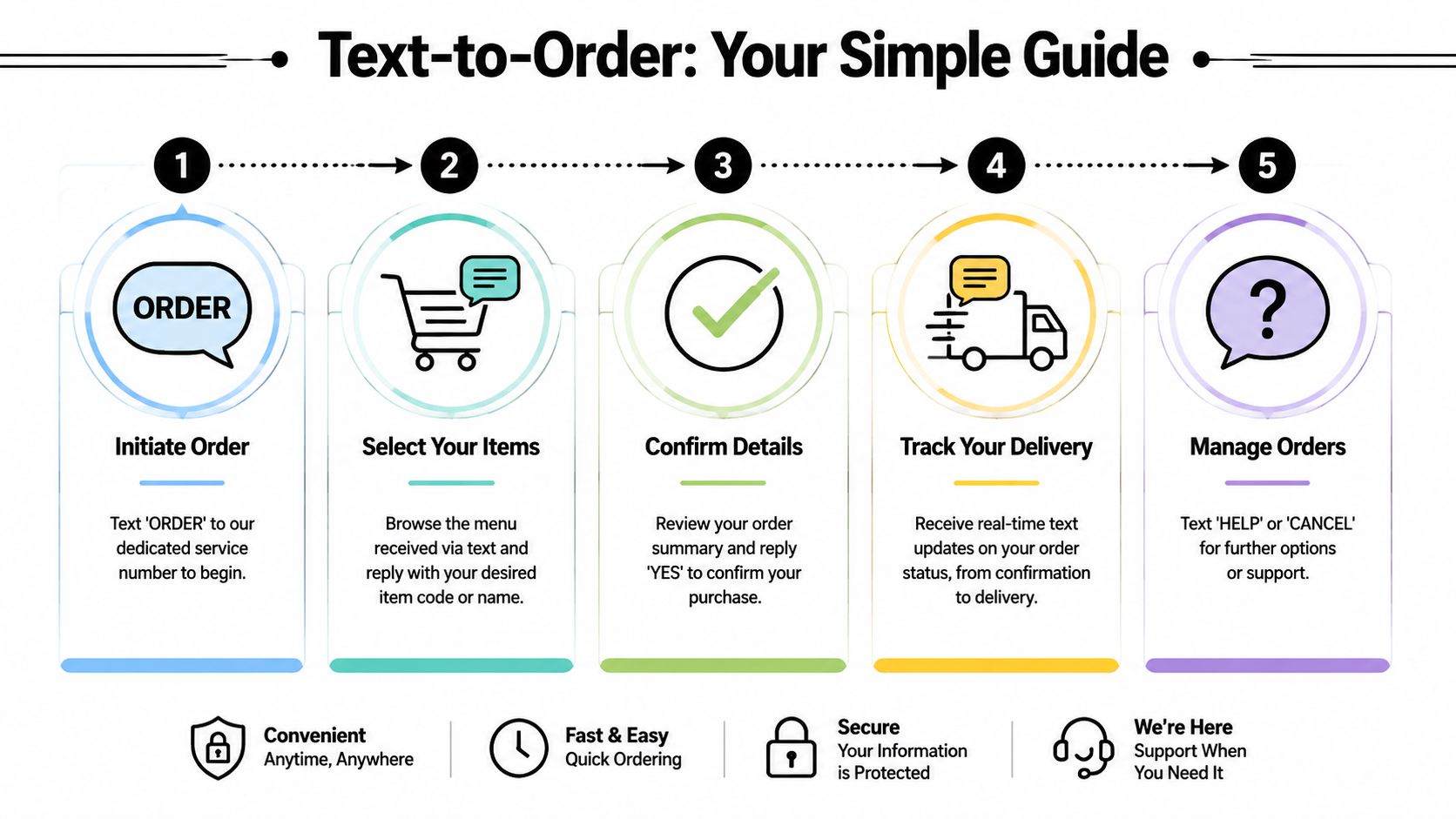
If you want the official ordering workflow, use the Metro Mush text message ordering system.
What to send in your first text
A strong first message should answer the questions support would otherwise need to ask manually. Keep it simple and complete.
Example text:
Hi, my name is Alex. I'd like to place an order for delivery to [your address]. I want 3x OuterSpore Milk Chocolate Bars and 1x Rocket Fuel shroom drink. Please let me know availability, total, and next steps. I also want to verify my discount before payment.
That format works because it includes identity, location, items, and a clear request. It also avoids the most common problem in text ordering, which is sending only “menu?” or “I want to order” and then waiting through multiple follow-ups.
What happens after you text
Once your message is received, support typically moves through the order in stages:
- Review of item availability
- Confirmation of delivery area
- Order summary
- Payment instructions
- Delivery update or ETA
- Follow-up if anything needs clarification
What works and what slows things down
Here's the practical difference.
- Works well: “2x Mush Love Chocolate Bars, delivery to [address], paying today, Discord discount to verify.”
- Slows things down: “Hey, what do you have?” with no service area, no item preference, and no indication of whether you're ready to order.
If you need to change something after sending the order, keep everything in the same text thread. Don't start a new conversation from a different number if you can avoid it. One thread helps support track the latest version of your order.
Managing edits and cancellations
Small changes are easiest when you send them clearly:
- For item swaps: name the original item and the replacement.
- For address updates: send the full corrected address in one message.
- For cancellations: say plainly that you want to cancel and reference the active order.
A short, direct text beats a long explanation every time.
Expected Response Times and Service Hours
Support works best when expectations are clear. Customers usually don't mind waiting a bit if they know what kind of response window is normal and which channel is fastest for live help.
What to expect from each channel
For active order support, text is the primary real-time channel. During normal support coverage, texts are typically the quickest way to get a practical answer because they let the team confirm item names, addresses, and order changes in writing.
Calls are useful when the issue is urgent or easier to explain verbally. Discord messages can help for community questions or promotion-related follow-up, but they're not always the best place for time-sensitive delivery changes.
Best timing for faster help
A few habits make response times better:
- Text during support hours. Real-time order help depends on the team being available.
- Put the main issue in the first line. “Need to change delivery address” gets attention faster than “hey.”
- Keep one active thread. That avoids duplicate replies and conflicting updates.
Microsoft's Global State of Customer Service report found that customers often use multiple channels to resolve an issue, but voice remains the dominant preferred channel for initial contact, and 76% expect to talk to someone immediately. The same source notes that follow-up contacts often happen when issues aren't resolved cleanly the first time, which is why direct and complete communication matters so much in support conversations, as shown in Microsoft's customer service report.
For urgent order questions, don't scatter your message across text, Discord, and multiple calls. Pick the fastest active channel and keep the issue in one thread until it's resolved.
Troubleshooting Common Issues and Quick Fixes
Most support questions fall into a handful of patterns. The fix is usually straightforward if you know what to check first.
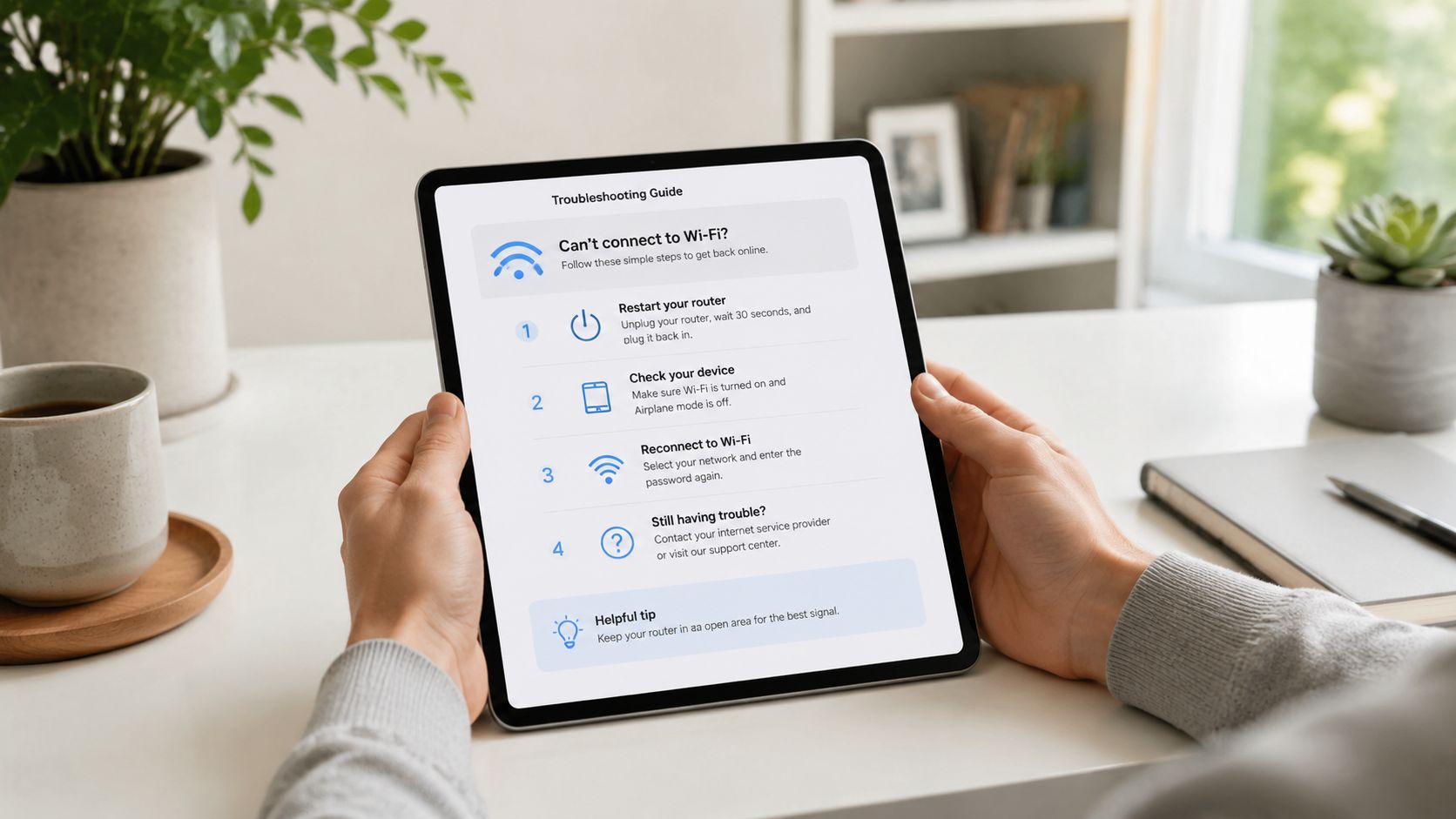
I texted but didn't get a confirmation
Start by checking that you sent your message to the correct service-area number. Then look at whether your first text included your name, address, and requested items. If it didn't, send a follow-up with the missing details in one message.
If your phone filters unknown numbers or blocks business replies, that can also interrupt the thread. In that case, call the same number you texted.
I need to change my address
Send the full updated address in the existing thread. Don't split it across several messages. If the order is already in motion, call as well so the update is seen quickly.
The item I want is out of stock
Ask for the nearest comparable option instead of waiting on a restock with no replacement plan. For example, if one edible is unavailable, ask what's closest in format or intended experience. A specific substitute question gets a better answer than “anything else?”
I'm not sure whether my area is covered
Use the outside-area support number listed earlier and send your full delivery location. Don't rely on assumptions based on nearby cities or zip code borders.
I want to apply a discount but I'm not sure if it counts
Say which discount you think applies before payment. If it's a service-related discount, be ready to verify eligibility. If it's a community discount, make sure you've completed the required steps before asking support to apply it.
I had a difficult experience and need someone to talk to
Many dispensary support pages fall short. A significant gap exists in post-experience support for psychedelic users, with 68% of first-timers reporting anxiety about what happens after a session. Resources like the Fireside Project offer a free, confidential support line at 623-473-7433, as noted in this psychedelic support research summary.
That kind of support matters because customer care in this space doesn't end at checkout. If someone needs immediate emotional support after a difficult experience, a specialized line is more appropriate than a standard retail message thread.
Quick self-check before contacting support
- Correct number used
- Name included
- Full address included
- Exact products listed
- Discount question stated clearly
- One thread, not several
Those six checks solve a surprising number of delays.
Accessing Discounts and Special Offer Verification
Discounts only help if customers can verify them without confusion. The practical issue isn't usually whether an offer exists. It's whether the customer knows what proof to send, when to send it, and how the discount gets attached to the order.
Service discount verification
Metro Mush offers a 10% discount for fire, police, and veterans. To use it smoothly, mention it in your first order text, not after the order has already been processed.
For verification, be ready to provide appropriate proof of eligibility. Keep that proof limited to what's needed for verification. Don't send extra personal information if support hasn't asked for it. The cleanest approach is:
- State the discount you're requesting.
- Ask what proof is needed.
- Send only the requested verification.
- Wait for confirmation before payment.
Discord discount verification
There's also a 20% Discord member discount. This one works best when you complete the community join step first and then tell support you want the Discord discount applied to your order.
Use this format in your text:
Hi, I'm placing an order and I'm a Discord member. Please verify my Discord discount before I pay.
That short line prevents the common mistake of assuming the discount is automatically attached without any verification step.
What customers often get wrong
These are the usual failure points:
- Waiting too long to mention the discount. If you bring it up after payment instructions are already issued, the process may need to be redone.
- Sending unclear proof. A cropped or unreadable image creates extra back-and-forth.
- Trying to stack offers without asking first. Clarify eligibility before assuming multiple discounts apply together.
A support hub should make cost questions easier, not harder. That matters in psychedelic retail because affordability is a real concern, and many customer service pages don't explain cost-saving paths clearly. In practice, the best approach is simple. Ask early, verify cleanly, and keep the discount request in the same thread as the order.
The best discount message is short and specific. Name the offer, ask for verification, and wait for confirmation before sending payment.
Join Our Community on Discord for Exclusive Support
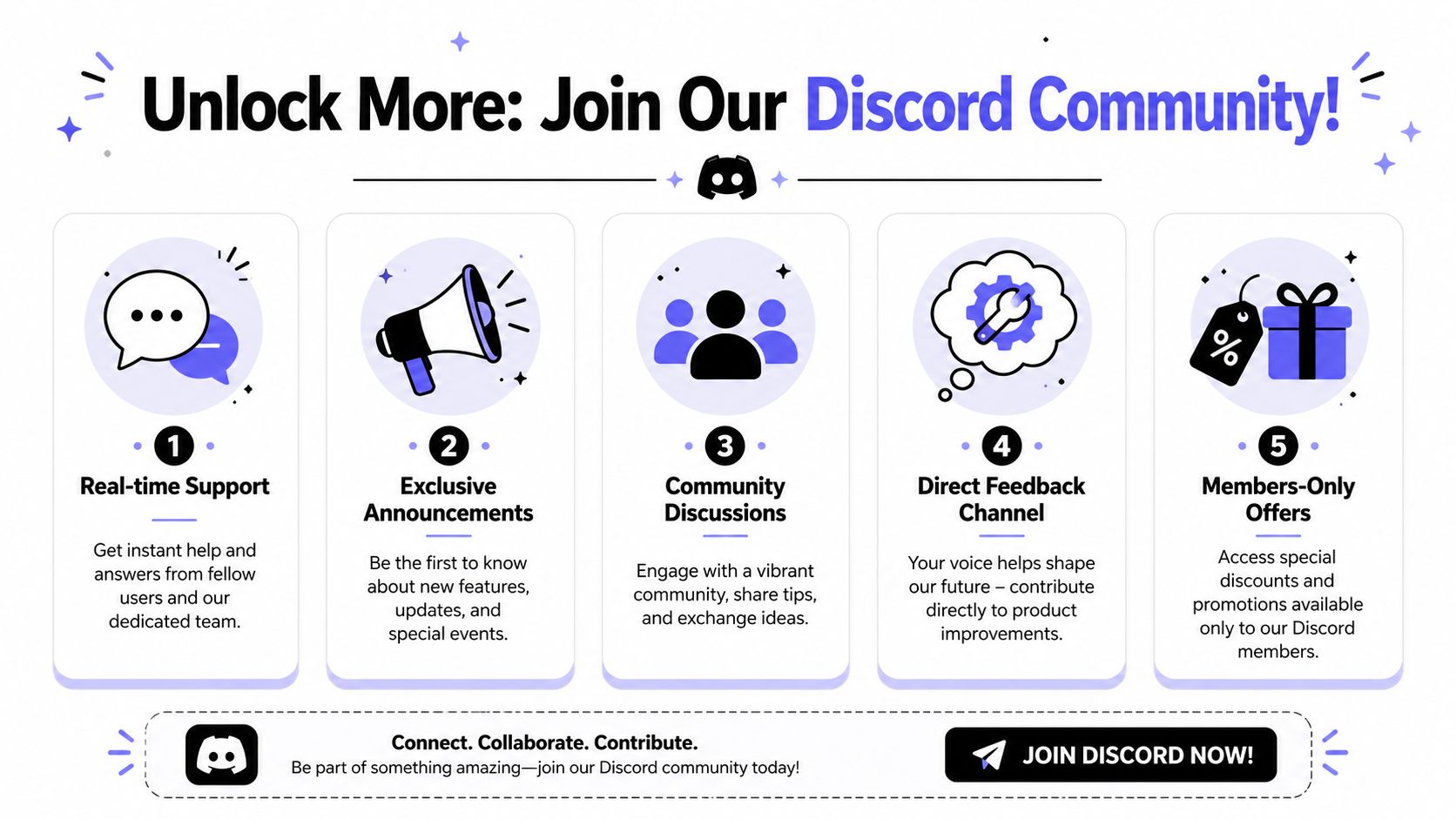
Discord isn't just a promo channel. Used well, it becomes a second layer of customer service contact. Customers join for the discount, but they stay because it helps them keep up with new drops, special offers, and community updates without having to check the site repeatedly.
Why Discord matters
The value is practical:
- You hear about offers sooner.
- You can keep track of product drops in one place.
- You have a standing community touchpoint, not just a one-time order thread.
- You can verify member-related offers more easily when support asks.
Community channels also help customers who prefer a less formal path for staying informed. That's especially useful when you want updates on flash deals, product availability, or recurring promos like Mix & Match Saturdays.
Cost savings and support in one place
There's also a broader reason this matters. As psychedelic therapy costs remain high, 34% of new users now join community Discord channels to access 20% discounts and stay updated on value-driven deals, yet 82% of customer service pages fail to explain how to use this, according to this ScienceDirect-linked discussion of access and affordability.
That gap is easy to fix. A good support hub should tell customers that community participation can reduce friction and lower cost at the same time.
If you like having a live stream of updates instead of hunting through separate pages, Discord is the right fit. It's not a replacement for direct order texts when something is urgent. It is a useful companion channel for staying connected between orders.
Our Official Policies and Main FAQ
Some questions don't need a live reply. They need the official written answer. That's where the FAQ and policy pages matter.
Use the Metro Mush FAQ page when you want the formal version of common answers, especially for recurring operational questions. That's usually the better choice if your issue isn't time-sensitive and you want to double-check the standing policy before contacting support.
Best uses for the FAQ and policy pages
A written policy page is often the right place to look for:
- General ordering rules
- Basic service expectations
- Common customer questions
- Clarification before you text support
When to use live support instead
Go back to direct customer service contact when the issue involves a real order, a delivery update, discount verification, or a specific product question. Static pages are good for reference. They're not built to solve active, moving problems.
One useful way to think about it is this:
| Need | Best option |
|---|---|
| You want the official written answer | FAQ or policy page |
| You need help with an active order | Text or call |
| You want promo updates and community access | Discord |
| You need post-experience emotional support | Specialized external support line |
A support system works when each channel has a clear job. That's the point of putting everything in one place.
If you're ready to place an order, confirm a discount, or get a fast answer on delivery and availability, contact Metro Mush through the direct Detroit or Ann Arbor lines listed above and keep your details in one message thread so support can help you quickly.